
MTD Compatible Software for Sole Traders: 2026 Setup Guide
MTD compatible software for sole traders explained: what HMRC expects, how to choose tools, and what to test before quarterly updates.
MTD Compatible Software for Sole Traders: 2026 Setup Guide
MTD compatible software for sole traders is now a live issue, not a future admin project. From 6 April 2026, sole traders and landlords with qualifying income over £50,000 must use Making Tax Digital for Income Tax if they meet HMRC’s conditions. The first quarterly update deadline for the 2026 to 2027 tax year is 7 August 2026, which means the software choice needs to happen before the summer, not during deadline week.
The awkward bit is that “software” does not mean one thing. Some tools create digital records from scratch. Some connect to spreadsheets. Some handle quarterly updates but not the final tax return. Some work well for a simple sole trade, then become painful when you add rental income, VAT, or an accountant who needs access.
Quick summary: check if MTD applies to you, decide whether you need cloud bookkeeping or bridging software, test one quarterly update workflow before 7 August 2026, and make sure your chosen tool can also handle the final tax return due by 31 January 2028.
If you want a practical check before you commit to a system, we can help through our bookkeeping service, Self Assessment support, and contact page.
MTD compatible software for sole traders: what HMRC actually expects
HMRC says Making Tax Digital for Income Tax software must help you create, store, and correct digital records for self-employment and property income and expenses. It must also send quarterly updates and submit your tax return by 31 January after the tax year. GOV.UK’s software guidance was last updated on 8 May 2026, so this is not old pilot-era advice.
The key point is that quarterly updates are not tax returns. They are summaries of income and expense totals for each business. HMRC’s guidance says the update does not send individual receipts or invoice lines, and you do not need to make accounting or tax adjustments before sending a quarterly update. Those adjustments are dealt with later when the tax return is finalised.
That distinction matters. You do not need a system that turns every quarterly submission into a full year-end accounts process. You do need records that are good enough for the software to produce the right category totals.
Useful GOV.UK references:
- Choose the right software for Making Tax Digital for Income Tax
- Find software that works with Making Tax Digital for Income Tax
- Send quarterly updates under Making Tax Digital for Income Tax
If you have already read our broader Making Tax Digital Income Tax checklist, treat this article as the software decision layer that sits underneath it.
Check if you are choosing software for the right reason
Before paying for anything, check whether you are actually in scope.
For the 2026 to 2027 tax year, MTD for Income Tax applies from 6 April 2026 if you are an individual registered for Self Assessment, you get income from self-employment or property, and your qualifying income is more than £50,000. The threshold falls to £30,000 from April 2027 and £20,000 from April 2028 under the current rollout.
Qualifying income is gross income from self-employment and property before expenses. It is not profit.
Worked example 1: turnover, not profit, decides the first check
Assume Nadia is a sole trader designer with:
- client invoices in 2024 to 2025: £58,000
- allowable business expenses: £21,000
- taxable profit before personal allowances: £37,000
Nadia might look at the £37,000 profit and assume she is under the £50,000 threshold. For MTD, the first check uses qualifying income. Her self-employment income is £58,000, so she is above the 2026 threshold if the rest of the conditions are met.
Now compare Leo:
- client invoices: £42,000
- UK property rent before expenses: £11,000
- total qualifying income: £53,000
Leo has two income sources. The combined gross figure is above £50,000, so software needs to support both the sole trade and UK property position, or he needs a setup where separate tools work together properly.
Your own start date can depend on tax returns already filed and HMRC’s records, so check your position before assuming you are outside the rules.
Cloud bookkeeping, bridging software, or accountant-managed workflow?
Most sole traders fall into one of three routes.
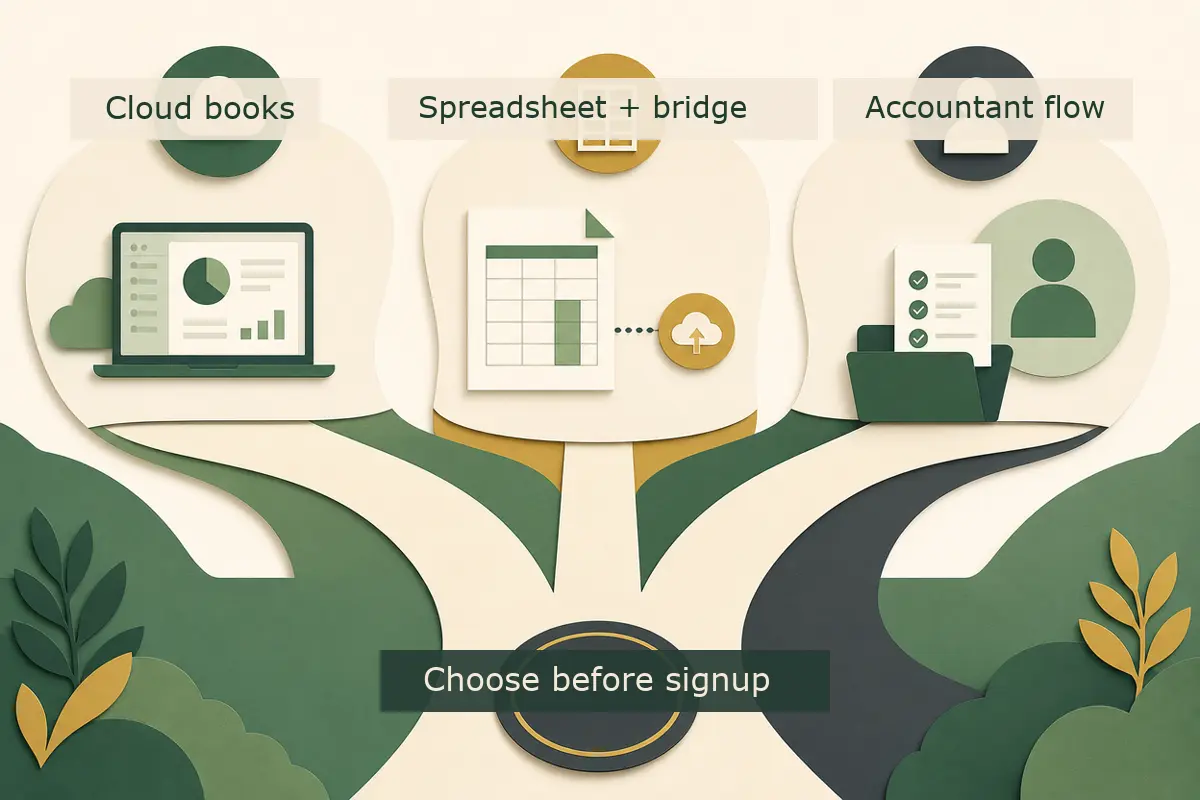
| Route | Best fit | Watch out for |
|---|---|---|
| Cloud bookkeeping software | Regular transactions, invoices, bank feed use, VAT, growth plans | Monthly cost, setup time, and category rules need review |
| Spreadsheet plus bridging software | Very simple records, low transaction volume, strong spreadsheet discipline | More manual checking, version control, and category mapping |
| Accountant-managed workflow | You want the accountant or bookkeeper to own submissions and review | You still need timely records, receipts, and bank access |
HMRC recognises both software that creates digital records and software that connects to existing records, such as spreadsheets. The second type is often called bridging software.
Bridging software can be a sensible route for a simple sole trader who already keeps tidy records. It is not a magic shield for poor records. If your spreadsheet is full of mixed personal spending, vague labels, missing dates, and unanalysed bank deposits, the bridge only moves messy data from one place to another.
Cloud bookkeeping is often better where you issue invoices, take card payments, use a business bank account, have VAT returns, or need your accountant to check records without endless file swapping. It can also give better cash-flow visibility during the year, which is useful when tax estimates start appearing after quarterly updates.
There is no prize for choosing the most expensive software. The right answer is the one that you will actually keep up to date every month.
The features to test before you sign up
GOV.UK says the software should support your MTD income sources, send quarterly updates, submit your tax return, report other income needed for the return, and work with your accounting period. If you are VAT registered, you should check whether your VAT software is also compatible with MTD for Income Tax, or whether the new tool can meet your VAT needs too.
Here is the practical test list we would use with a client.
1. Income source support
Check the exact income types:
- self-employment
- UK property
- foreign property
- other income needed for the final tax return, such as dividends, savings interest, pensions, or employment income
If you are only a sole trader today but may start letting property, do not pick a tool that creates a second problem in six months.
2. Quarterly update and final return support
Some products are better at record keeping than final filing. HMRC’s software finder asks whether you need to create new digital records or connect to existing ones. It also asks about accounting periods and income sources.
Before committing, ask the supplier or your accountant:
- can this product send all four quarterly updates?
- can it submit the 2026 to 2027 tax return by 31 January 2028?
- if not, what second product is needed and how do the records move?
The second product point matters because HMRC says you can use more than one product, but only one product for each separate submission you need to make to HMRC.
3. Accounting period settings
Quarterly update periods can use standard tax year periods or calendar update periods.
| Update style | Periods | Deadlines |
|---|---|---|
| Standard update periods | 6 April to 5 July, 5 October, 5 January, 5 April | 7 August, 7 November, 7 February, 7 May |
| Calendar update periods | 1 April to 30 June, 30 September, 31 December, 31 March | 7 August, 7 November, 7 February, 7 May |
The deadlines are the same, but the period cut-off dates differ. HMRC says you must choose calendar update periods for each source of income in your software before sending the first quarterly update, and you cannot change update periods for a tax year after you have sent a quarterly update.
That is a small setup choice with a long tail. Get it checked before the first submission.
4. Bank feed and receipt capture
Bank feeds and receipt scanning are not legal requirements by themselves, but they reduce manual work. The danger is trusting them blindly.
Test three things:
- whether bank transactions import with useful dates and references
- whether receipt images attach to the right transactions
- whether category rules are sensible, not just fast
If the software keeps putting equipment, subscriptions, and travel into vague categories, your quarterly totals may still be poor.
5. Accountant access and permissions
If we are helping with your records, we need access that works. That sounds obvious, though it is often discovered late.
Check whether the software allows:
- accountant or bookkeeper access
- separate user permissions
- audit history for changes
- export reports for year-end checks
A sole trader with simple records may not need a complex permission setup. Still, sharing one login with everyone is a bad habit. It creates security risk and makes corrections harder to trace.
A simple setup workflow that works before 7 August
The first 2026 to 2027 quarterly update deadline is 7 August 2026. You can send the update after the period ends and before the deadline. HMRC also says you can send an update up to 10 days before the end of the period if you do not expect further transactions.
The sensible plan is to test the workflow before the first period closes.
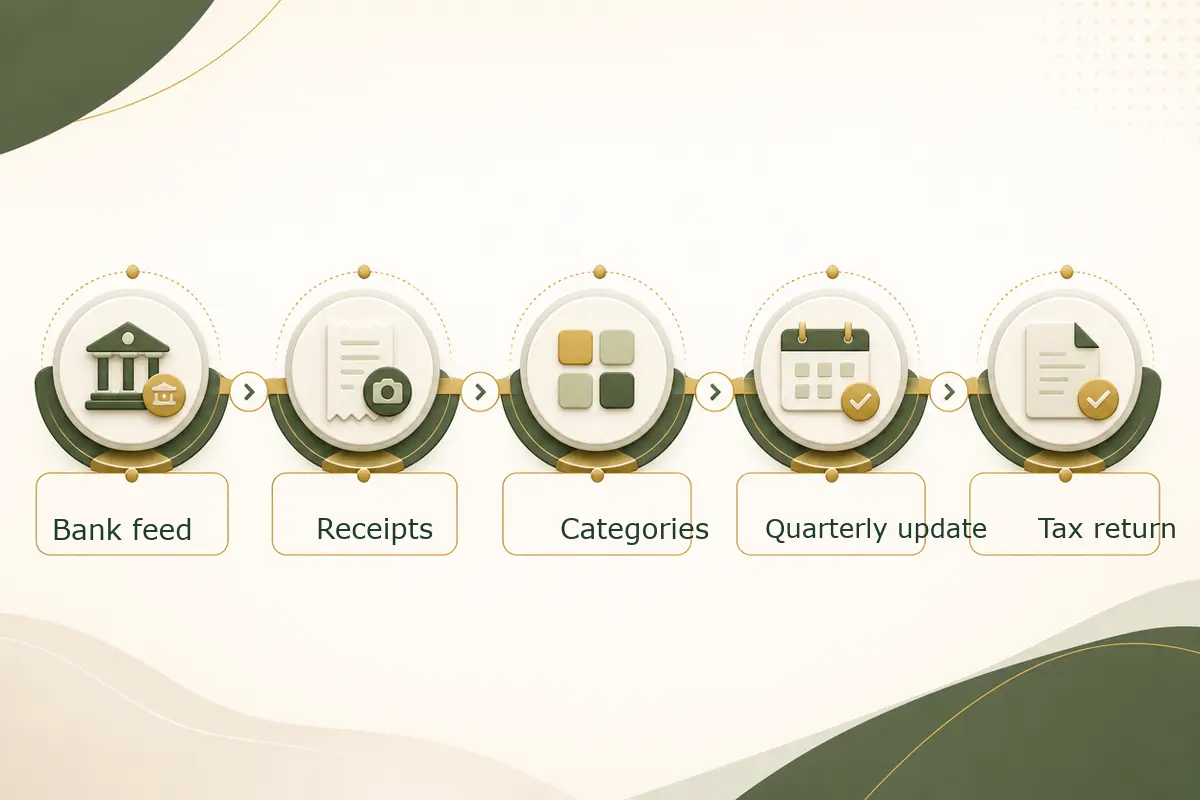
Week 1: choose the route
Decide whether you are using cloud bookkeeping, spreadsheet plus bridging, or an accountant-managed workflow. Use HMRC’s software finder, then ask your accountant whether the shortlisted tools fit your records and tax return process.
Week 2: connect records
Connect the business bank account if using a bank feed. If you are using a spreadsheet, lock down the template and category list. If you trade through platforms, card processors, or marketplaces, check how payouts are recorded.
Week 3: categorise a sample month
Use one real month, not dummy data. Categorise income and expenses, attach receipt evidence, and run a report showing totals by category.
Week 4: review and fix
Look for mixed personal costs, duplicated income, unallocated bank deposits, and VAT treatment errors if you are VAT registered. This is where most value appears. The software may be working perfectly while the process around it is not.
Week 5: rehearse the quarterly update
Do not press submit unless you are ready, but check the route. Find the submission screen, understand what totals will go, and confirm who approves the update. If an accountant is involved, agree the review cut-off date.
Right, so the main job is not “buy software”. The job is “make one month of real records work properly before the deadline”.
Worked example 2: comparing cost against admin time
Software price is only part of the cost. Time has a cost too, even if you do not pay yourself an hourly rate.
Assume Sam is a sole trader consultant with 90 transactions per month.
Option A: spreadsheet plus bridging
- software cost: £8 per month
- monthly record time: 4.5 hours
- quarterly review time: 3 hours
Option B: cloud bookkeeping
- software cost: £28 per month
- monthly record time: 2 hours
- quarterly review time: 1.5 hours
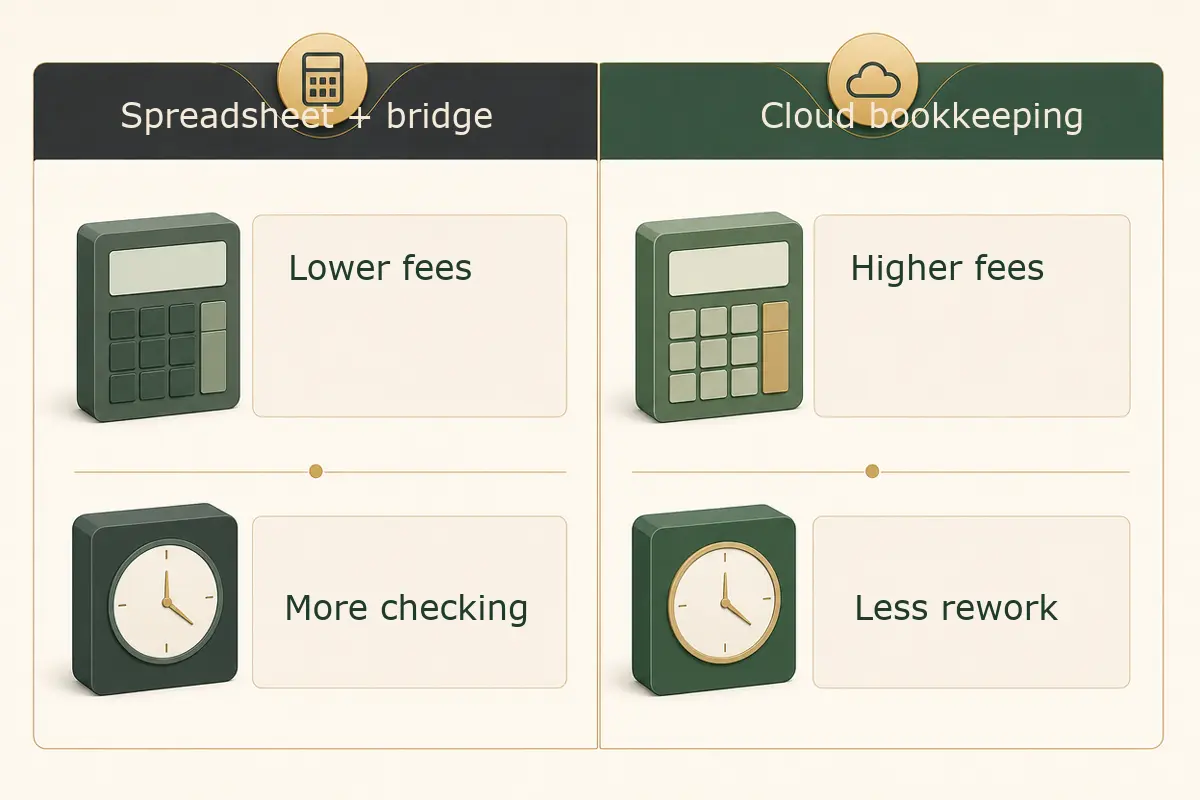
The cloud route costs an extra £20 per month, or £240 per year. It saves about 2.5 hours per month plus 1.5 hours per quarter, which is roughly 36 hours per year.
If Sam values admin time at even £25 per hour, the time saved is about £900. On those figures, the more expensive software is cheaper in practice.
Now flip the example.
Assume Mina has 12 transactions per month, no VAT, no property income, and a well-maintained spreadsheet. She spends 45 minutes a month keeping it tidy. For her, bridging software might be perfectly reasonable.
That is why blanket software advice is usually weak. Transaction volume, income sources, and your tolerance for admin matter more than brand names.
How quarterly updates affect your tax estimate
After you send a quarterly update, HMRC says you will be able to get an estimate of your tax bill in your software or HMRC online services account. That estimate can be useful, but it is not the final bill.
It may not include everything. For example, other income sources may need to be added later if your software does not record them during the year. Accounting adjustments, allowances, reliefs, pension contributions, student loan details, and other Self Assessment items can also affect the final outcome.
Worked example 3: why quarterly estimates are not the final answer
Assume Aisha sends quarterly updates showing:
- sole trader income for the year so far: £39,000
- sole trader expenses for the year so far: £14,500
- estimated profit so far: £24,500
The software may produce an estimate based on those figures and information HMRC already holds.
But Aisha also has:
- savings interest: £1,200
- personal pension contribution: £4,000 net, normally £5,000 gross under relief at source
- a student loan repayment plan
If those items are not reflected in the estimate at the quarterly stage, the final Self Assessment calculation can move. The quarterly estimate is still useful for cash planning, but it is not a promise from HMRC that the year-end tax bill will match.
This is one reason we like monthly bookkeeping. Good records let you treat the estimate as a planning tool, not a surprise generator.
Common MTD software mistakes sole traders should avoid
Choosing before checking your income sources
A tool that works for one self-employment may not work for UK property, foreign property, or mixed income. Check support before signing up.
Keeping the old spreadsheet but changing nothing else
Bridging software does not fix weak categories, missing receipts, or personal spending mixed into business records.
Forgetting the final tax return
Quarterly updates are only part of the job. You still need software that can submit the final tax return, or a clear route from your records into final filing software.
Ignoring VAT
If you are VAT registered, check how MTD for VAT and MTD for Income Tax will sit together. Running separate systems can work, but only if the records agree.
No owner for bank feed errors
Bank feeds can disconnect. Transactions can duplicate. Rules can misclassify costs. Someone needs to check them every month.
Waiting until 7 August
The 2026 to 2027 tax year has a softer start for quarterly update penalties, because HMRC says it will not apply penalty points for late quarterly updates during that year. Do not treat that as permission to drift. HMRC also says quarterly updates must be sent before you can submit the tax return.
What if your circumstances change?
MTD does not freeze your business in place. You might start a second trade, add property income, stop trading, or move from a spreadsheet to cloud bookkeeping.
HMRC guidance says some changes must be reported through your online account, such as adding or ceasing a self-employment or property income source. Changing software does not have to be reported in the same way, though you may still need to take action so the new tool is authorised and records remain complete.
If you start a new self-employment or property income source while already using MTD, HMRC’s guidance says you do not always need to start quarterly updates for that new source immediately. The timing can depend on when the income first appears on a tax return. That is one of those areas where the rules get a bit fiddly, so check before setting up duplicate or unnecessary submissions.
For ceased income sources, the key point is to finish the records properly. HMRC may still need a final quarterly update for the period in which the source stopped and the ceased income still needs to be included in the tax return for that year.
A practical software decision checklist
Use this before buying or renewing anything.
| Question | Why it matters |
|---|---|
| Am I in scope from April 2026, April 2027, or later? | Avoid paying early for the wrong reason, but do not leave setup too late |
| Does the software support every MTD income source I have? | Self-employment and property sources may need different handling |
| Can it send quarterly updates and submit the final tax return? | Quarterly-only tools need a second final filing route |
| Does it support my chosen update period? | You cannot change update periods after sending the first update for that tax year |
| Can my accountant or bookkeeper access it properly? | Review and corrections are easier with clean permissions |
| How will receipts, mileage, and cash payments be recorded? | Bank feeds do not capture everything |
| What happens if I become VAT registered? | A system that works today may not scale with VAT |
| Can I export useful reports? | You still need checks, evidence, and year-end review |
If you want help setting this up, we can review your records, choose a route, and agree the monthly bookkeeping process through our bookkeeping service. If you are close to a threshold or unsure what HMRC has on record, our Self Assessment service is the better place to start.
FAQ: MTD compatible software for sole traders
Can I keep using spreadsheets for MTD?
Possibly. HMRC recognises software that connects to existing records, such as spreadsheets, often called bridging software. Your spreadsheet still needs to hold proper digital records, and the bridging route needs to send the required updates and support the final filing process.
Does MTD mean I file four tax returns a year?
No. Quarterly updates are summaries of income and expense totals. They are not full tax returns. You still finalise the tax return after the end of the tax year.
What is the first MTD quarterly update deadline for 2026 to 2027?
For standard update periods, the first period runs from 6 April to 5 July 2026, with the update due by 7 August 2026. Calendar update periods also use a 7 August 2026 first deadline.
Do I need software if my profit is under £50,000?
Maybe. The threshold check uses qualifying income from self-employment and property before expenses, not profit. A sole trader with £58,000 of income and £21,000 of expenses can still be above the £50,000 threshold.
Can my accountant choose and run the software for me?
Yes, but you still need to provide records on time. HMRC’s software finder guidance also says that if you have an accountant or bookkeeper, you should ask them about your software choice to make sure they can support it.
Will HMRC fine me if my first quarterly update is late?
HMRC guidance says it will not apply penalty points for late quarterly updates during the 2026 to 2027 tax year. You should still send the updates, because they are required before you can submit the tax return.
Your next step
Do one useful thing this week: take one month of real bank transactions and test them in the software route you are considering. If that month works cleanly, the 7 August deadline becomes much calmer. If it does not, you have found the problem early enough to fix it.

About Golden Tree Consulting
ACCA Affiliated | MBA Qualified
Golden Tree Accounting & Business Consulting provides expert tax, bookkeeping, and advisory services to sole traders and SMEs across Croydon, London, Surrey, and Kent. With multilingual support and decades of combined experience, we help businesses stay compliant and grow.
More Articles You Might Like
Continue exploring our financial insights
Cash Basis Accounting for Sole Traders 2026: Rules, Examples, and When to Use Traditional Accounting
Cash basis accounting for sole traders in 2026, with current HMRC rules, worked examples, MTD points, and when traditional accounting is better.

MTD Quarterly Update Deadline 7 August 2026: Sole Trader and Landlord Guide
MTD quarterly update deadline 7 August 2026 explained for sole traders and landlords, with records, examples, and filing steps.

MTD for Income Tax UK: April 2026 Checklist for Sole Traders and Landlords
MTD for Income Tax starts in April 2026 for many sole traders and landlords. Use this practical checklist to get ready, avoid penalties, and file with confidence.