Xero for Sole Traders: UK Review, Pricing and MTD Check for 2026
Xero for sole traders reviewed for 2026: UK pricing, plan limits, bookkeeping workflow and Making Tax Digital checks before you subscribe.
 Golden Tree Accounting Updated 27 September 2026 12 min read
 On this page Show
Xero for sole traders can be a very good fit when it replaces a real monthly chore: matching bank transactions, sending invoices, finding receipts, or working out what the business has actually earned. It is less convincing when a low headline price hides limits that send you back to a spreadsheet every month. That is the question to answer before you subscribe, especially with the first Making Tax Digital for Income Tax update due on 7 August 2026 for many people in scope.
In September 2026, Xero lists its UK Ignite plan at £18 a month excluding VAT after any introductory price. Grow is £39, Comprehensive £55, and Ultimate £70 a month excluding VAT. There is also a Simple plan at £7 a month for businesses that are not VAT registered, limited to 10 invoices. Those figures are useful starting points, not a reason to choose a plan in isolation. Your invoices, bills, VAT position and tax reporting needs decide whether the subscription saves time or merely moves the work around.
Quick answer: Xero is usually worth considering for a sole trader who will reconcile a business bank account regularly, invoice clients, keep receipts in one place and share records with an accountant or bookkeeper. Check the invoice and bill limits on the entry plan, then confirm the software supports every income source you need for Making Tax Digital before you commit.
If you would like an independent view of the setup, our bookkeeping service, Self Assessment support, and contact page are sensible places to start.
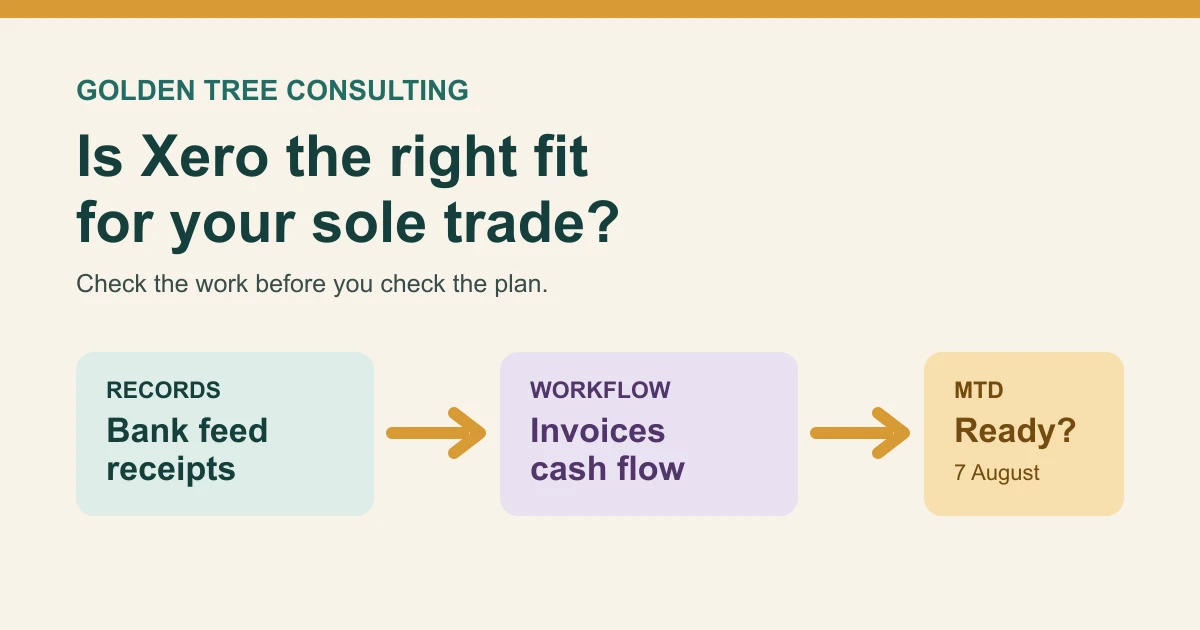
Is Xero good for sole traders?
For a straightforward service business, the useful parts of Xero are refreshingly ordinary. You can connect a business bank account, match transactions to sales and costs, raise invoices, keep receipt images with the relevant expense, and give your accountant access without emailing files back and forth. The habit matters more than the software. A bank feed only helps if someone reviews the suggestions and spots private spending, duplicate payments or an invoice that has not been paid.
Xero says its UK plans support MTD for Income Tax, VAT submissions and direct connection to HMRC. HMRC’s own software finder is still the sensible check before purchase. It asks about your income sources, accounting period, existing records and whether you need a product to submit the final tax return as well as quarterly updates.
For many sole traders, Xero is a good match if you:
- send regular invoices and want to see which clients have paid
- have one or more bank accounts used mainly for the business
- can spend a little time each week or month reviewing transactions
- want your accountant or bookkeeper to see live records
- are VAT registered, deal with CIS, or expect the business to become more involved
- need a record-keeping routine that will stand up to MTD for Income Tax
It may be more than you need if you raise only a handful of invoices a year, keep very simple cash records, have no VAT or MTD requirement, and would not keep the software current. An annual spreadsheet clean-up is not ideal, but paying for a system that nobody opens is worse.
Xero pricing for sole traders in July 2026
Xero’s listed prices can change, and introductory offers are temporary. The table below records the regular monthly price shown on Xero’s UK pricing page in September 2026, before VAT.
| Plan | Regular price per month, before VAT | A sole trader might consider it for | A limit or cost to check |
|---|---|---|---|
| Simple | £7 | Not VAT registered, up to 10 invoices, MTD for Income Tax | 10-invoice limit, no expense claims or mileage |
| Ignite | £18 | Basic cash flow, up to 20 invoices, 10 bills and MTD readiness | 20 invoice and 10 bill limits |
| Grow | £39 | Regular invoicing, bills, bank reconciliation, payroll for one person | Whether the extra £21 a month saves manual time |
| Comprehensive | £55 | More payroll, expenses and mileage for up to five users, multi-currency | Whether those tools are genuinely needed |
| Ultimate | £70 | More advanced reporting, projects and a larger team | Usually more than a typical one-person trade needs |
The entry plan is not a bad plan. It simply has a shape. Xero lists 20 invoices and 10 bills on Ignite, while Grow allows invoices and quotes without that stated cap and adds bill tracking. A consultant who sends four invoices a month and receives a few recurring supplier bills may be fine on Ignite. An online seller, contractor, or business that buys from several suppliers can reach the limits quickly.
Worked example 1: the real cost of the entry plan
Suppose Jules is a freelance copywriter who sends eight invoices a month, enters five recurring bills, and is not VAT registered. At the regular listed price, Ignite costs £18 × 12 = £216 a year before VAT. If VAT applies and Jules cannot recover it, the cash paid becomes £259.20 at 20% VAT. Because Jules is not VAT registered and sends fewer than 10 invoices a month, the Simple plan at £7 a month (£84 a year) is also worth checking, as long as its feature list covers the bills Jules needs to enter.
That does not mean the software costs Jules £230.40 in tax. Accounting software that is wholly and exclusively for the trade is normally a business expense, subject to the usual rules and Jules’s own circumstances. The commercial question is simpler: does saving one hour of chasing receipts or matching payments each month make that subscription worthwhile? If Jules needs more than 20 invoices in a busy month, the calculation changes because a different plan may be needed.
Worked example 2: when a cheaper plan creates extra work
Amal runs a small catering business. She sends 26 invoices in December, receives 18 supplier bills, and needs to reconcile card takings. Ignite is £21 a month cheaper than Grow at the regular price, which is £252 a year before VAT. That saving may disappear if Amal has to keep part of the month outside Xero, upgrade in the middle of the period, or ask a bookkeeper to untangle separate records.
The lesson is not “always buy Grow”. It is “count a normal busy month before choosing”. One quiet February can make a plan look generous. Your busiest realistic month is the better test.
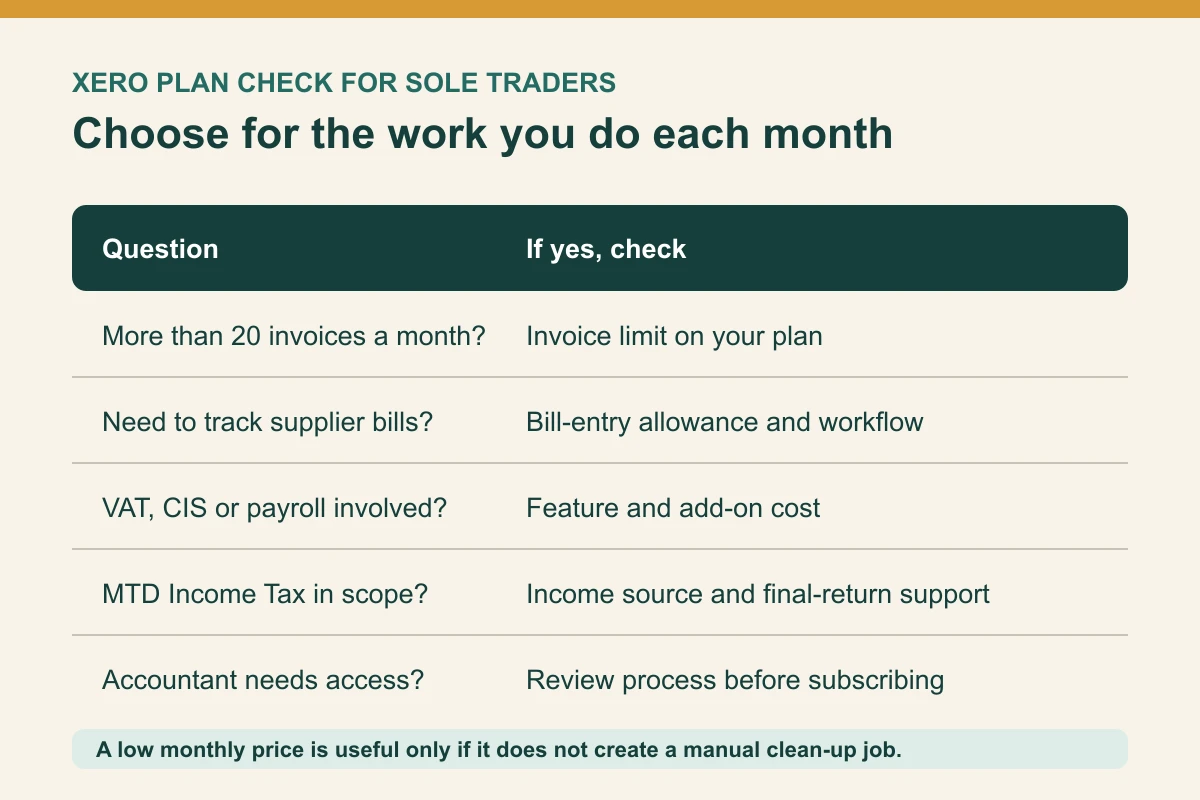
What Xero can do well in a sole trader workflow
Xero earns its keep when the bank feed and invoice list become part of a short routine. A practical flow might be: raise the invoice, match the payment when it lands, attach the receipt for business spending, and review the outstanding list before month end. You do not need to turn bookkeeping into a hobby. You do need enough regularity that you recognise a transaction while it is still fresh.
The invoicing view is useful for cash flow. If a £1,200 invoice is 30 days late, it is easier to chase it when the record is visible than when it is buried in an email thread. Xero also states that its accounting app supports bank reconciliation from a phone or tablet, which can be handy for a sole trader who is rarely at a desk.
Giving an accountant access can also remove a surprising amount of friction. Instead of sending a folder of PDFs in January, we can see whether sales, costs and bank balances agree during the year. That does not transfer responsibility for every transaction automatically. Agree who does the monthly review, who asks questions, and who submits any VAT return or MTD update.
Worked example 3: why reconciliation affects the numbers you see
Take a photographer with £18,400 received from clients in a quarter. Their bank feed also includes £1,150 of personal transfers in, £640 of equipment hire, £380 of software, and £210 of bank charges. If the personal transfers are coded as sales, the records appear to show £19,550 of business income. If the bank charges are left as drawings, the expenses are understated by £210.
After review, business income is £18,400, while the identified costs are £1,230. That is a £1,360 difference in the quarter’s apparent result from only two coding mistakes. It is not a final tax calculation, but it is exactly why the suggested matches should be reviewed rather than accepted on autopilot.
Xero and Making Tax Digital for Income Tax
Making Tax Digital for Income Tax is now live for sole traders and landlords whose 2024/25 tax return showed qualifying income over £50,000. Qualifying income means gross self-employment and property income before expenses. The threshold moves to more than £30,000 from 6 April 2027 and more than £20,000 from 6 April 2028.
HMRC says compatible software needs to create digital records, send quarterly updates and submit the tax return. The records need an amount, date and category for self-employment or property income and expenses. Xero can be part of that route, but you should not assume one business setup covers every personal tax detail. Landlords, people with more than one trade, partnership income, foreign property, capital gains, savings or dividends need to check how their full return will be handled.
For people using standard update periods, the first update covers 6 April to 5 July 2026 and is due by 7 August 2026. HMRC confirms that it is a summary of quarterly income and expenses, not a final tax return. There are no penalty points for late quarterly updates in 2026/27, but the records still need to be kept and the updates sent before the final return can be submitted.
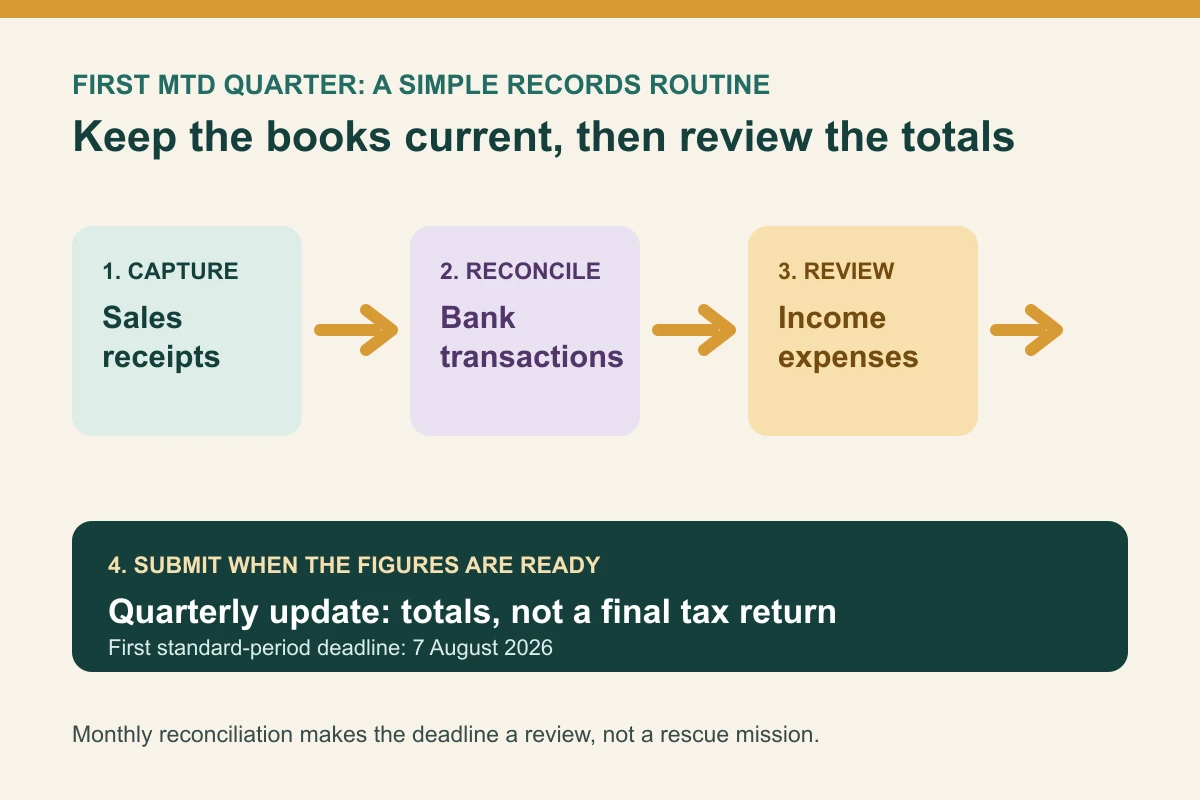
Use this short check before connecting Xero to HMRC:
- confirm whether your income is only one sole trade, or also includes UK or foreign property
- check that your accounting period is set to the correct standard or calendar update pattern
- enter or import the April to July records before attempting a quarterly update
- review income, expenses and anything that looks like personal spending
- confirm your accountant can support the chosen plan and filing route
- authorise the connection to HMRC only once you are comfortable with the setup
Our MTD compatible software guide explains the wider selection process, while the 7 August quarterly update guide covers the dates and records in more detail.
When Xero is not the right answer
There is nothing wrong with deciding that a different product is a better fit. FreeAgent can be attractive where a qualifying bank account includes the subscription, as we explain in our FreeAgent pricing guide. A simpler package or a spreadsheet-plus-bridging route may suit a sole trader with very few transactions. HMRC does not recommend one provider, which is sensible because the right answer depends on the records and income sources.
Pause before choosing Xero if you are buying it only because an accountant mentioned it, if your business and personal spending are mixed in the same bank account, or if you expect it to decide what is tax deductible without review. Software can make the records easier to maintain. It cannot tell whether a meal was client entertaining, whether a car journey was business-only, or whether a payment to yourself was an expense.
The same caution applies to tax estimates. A quarterly estimate may be helpful for cash planning, but your final Self Assessment position can also include allowances, other income, pension contributions, capital allowances and payments on account. We would recommend discussing the individual figures with your accountant before relying on a dashboard total to make a tax decision.
FAQ: Xero for sole traders
Is Xero good for a sole trader with no staff?
It can be. No-staff businesses still need to invoice, reconcile bank transactions, track costs and prepare tax records. The plan should fit the transaction volume, not a feature list built for an employer.
Does Xero file a Self Assessment tax return for a sole trader?
Xero says its UK product supports MTD for Income Tax, including quarterly updates and final declarations. Check the current plan, your other income sources and HMRC’s software finder before treating any software as an end-to-end answer for your return.
Can I claim Xero fees as a business expense?
Accounting software used wholly and exclusively for the trade is commonly an allowable business cost. Mixed personal use or unusual arrangements can change the answer, so keep the invoice and ask for advice if the position is not clear.
Do I need Xero before the first MTD deadline?
You need compatible software if you are in scope for MTD for Income Tax. Xero is one option, not the only option. The important part is choosing a route that can keep digital records, submit updates and deal with the final tax return you need.
Xero is a strong option when you will use the core routine every month: invoices, bank transactions, receipts and a quick review. Start with the work, test the plan limits against a busy month, and get the MTD setup checked before you press submit. That is far more useful than paying for the biggest plan and hoping it sorts the books by itself.

About Golden Tree Consulting
ACCA Affiliated | MBA Qualified
Golden Tree Accounting & Business Consulting provides expert tax, bookkeeping, and advisory services to sole traders and SMEs across Croydon, London, Surrey, and Kent. With multilingual support and decades of combined experience, we help businesses stay compliant and grow.
Offices in Croydon and London Bridge.
Related guides
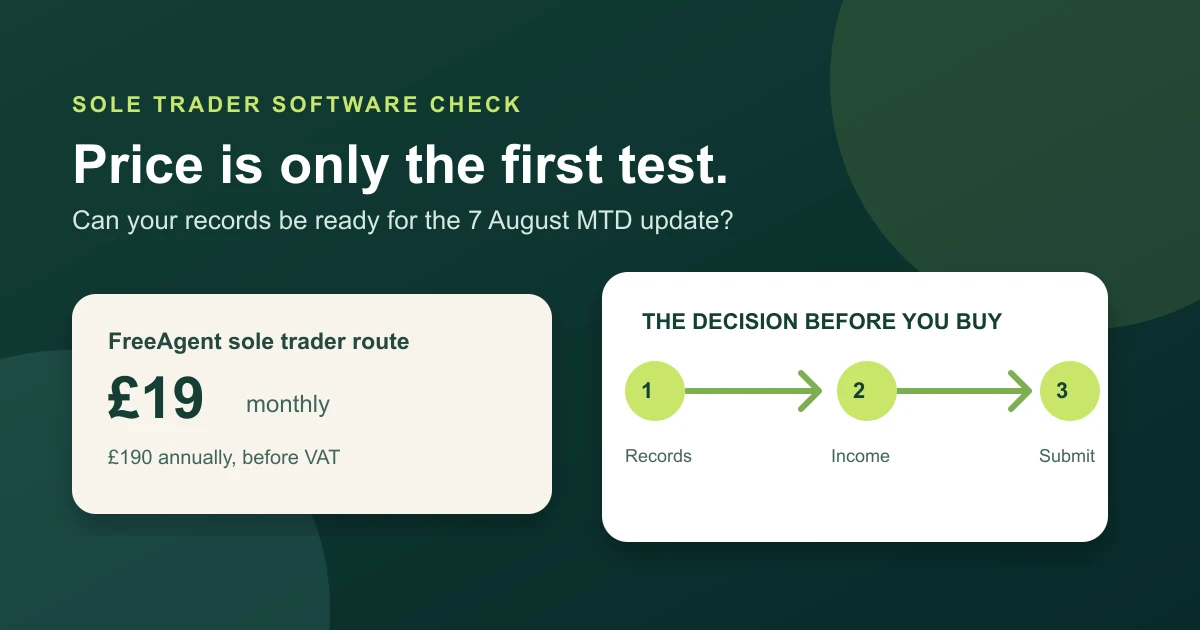
FreeAgent Pricing UK for Sole Traders: 2026 Cost and MTD Guide
FreeAgent pricing UK for sole traders in 2026, with monthly and annual costs, free routes, VAT, add-ons and MTD checks.
Cash Basis Accounting for Sole Traders 2026: Rules, Examples, and When to Use Traditional Accounting
Cash basis accounting for sole traders in 2026, with current HMRC rules, worked examples, MTD points, and when traditional accounting is better.

MTD Compatible Software for Sole Traders: 2026 Setup Guide
MTD compatible software for sole traders explained: what HMRC expects, how to choose tools, and what to test before quarterly updates.