HMRC Repayment Pending: What It Means and How Long Your Tax Refund Takes in 2026
HMRC repayment pending explained for 2026, including status meanings, realistic timings, offsets, checks and what to do if your tax refund is late.
 Golden Tree Accounting 10 August 2026 16 min read
 On this page Show
- What does HMRC repayment pending mean?
- How long does an HMRC tax refund take?
- Why is a repayment still pending?
- What to check when HMRC repayment is pending
- Three refund examples that look similar but are not
- Self Assessment, PAYE and VAT repayment timings side by side
- When should you contact HMRC?
- HMRC repayment pending FAQs
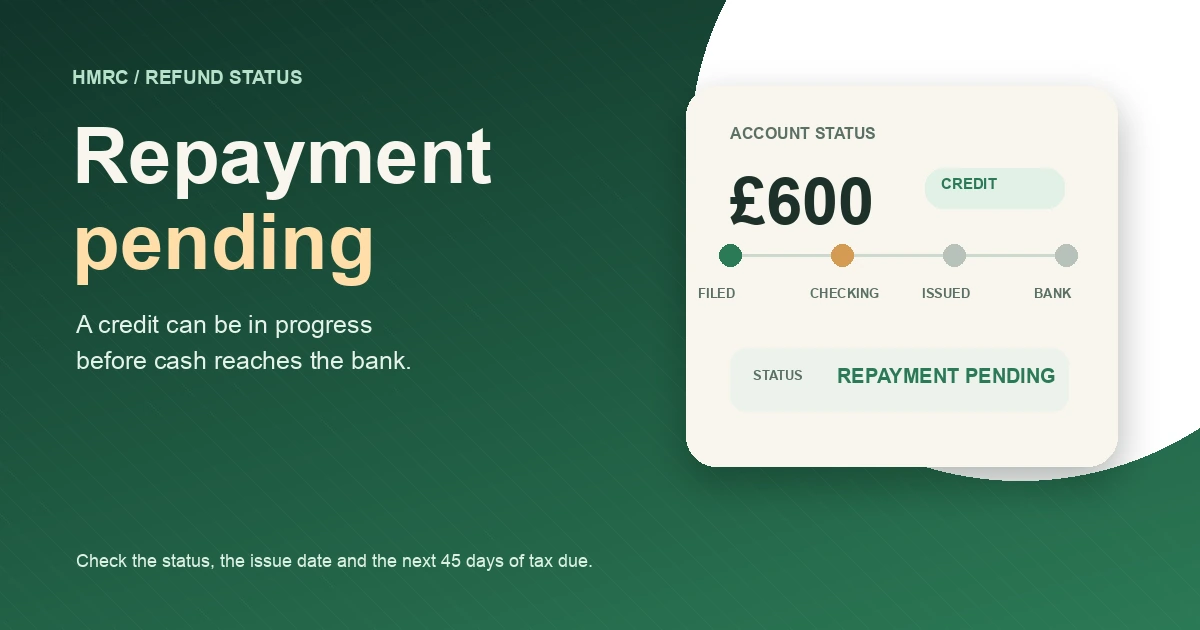
A credit on your HMRC account is not the same thing as cash in your bank. If your Self Assessment account shows HMRC repayment pending, the refund has been created but has not yet been approved and paid. The status can sit there while HMRC processes the claim, and your statement may still show the amount as a credit.
That is frustrating when you have already filed the return, checked the figures twice, and planned to use the money for a VAT bill or a quiet month. The good news is that a pending label does not automatically mean HMRC has rejected the repayment. The next step depends on the exact status, whether you have a submission reference, and whether another tax payment is due soon.
Quick answer: do not submit the same repayment request again just because the account still shows a credit. HMRC says a submission reference confirms that it received the return or repayment request and that the repayment is in progress. Check the status, look for messages, and use HMRC’s current reply-time checker before deciding whether to contact them.
If you want someone to reconcile the return, payments and repayment request, our tax refund service and Self Assessment service are useful starting points. A refund should be checked against the full tax account, not treated as a number in isolation.
What does HMRC repayment pending mean?
HMRC’s Self Assessment tax refund guidance says a pending refund has been created but still needs to be approved and paid. The wording is important. The amount may be visible on your account, but it has not necessarily reached the payment stage.
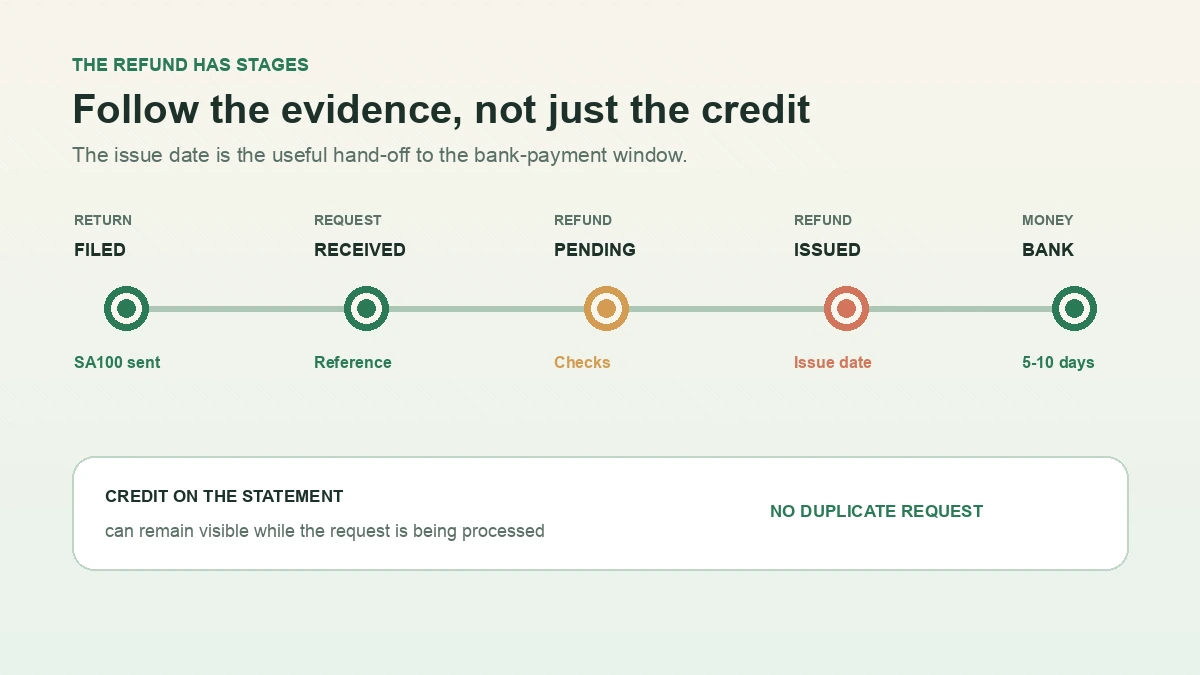
There is another detail that catches people out. HMRC’s Agent Update issue 143 explains that a Self Assessment statement can continue to show a credit even after HMRC has received and started processing an online repayment request. The statement is not always a live payment tracker.
The submission reference is the useful evidence. If you received an on-screen acknowledgement and reference after filing or requesting the repayment, HMRC says that confirms receipt, the repayment is in progress, and no further action is needed at that stage. Sending a second request will not speed things up. It can make the account harder to read and may leave you wondering which request is the real one.
The status words in plain English
| What you see | What it usually tells you | What to do |
|---|---|---|
| Credit on the Self Assessment statement | HMRC’s calculation shows money in your favour. It does not prove that a bank repayment has been issued. | Check whether you also requested the repayment and kept the submission reference. |
| Repayment pending | The refund has been created but is still awaiting approval and payment. | Check messages and wait for the status to move, unless HMRC has asked for information. |
| Bank repayment pending | The repayment is still in the processing chain before or around issue. HMRC’s community guidance says the money is not yet issued while it remains pending. | Look for an issue date. Count any bank-payment timing from that date, not just from the day you filed. |
| Repayment issued | HMRC has recorded an issue date for the payment. | Allow the stated banking time, then contact HMRC if the money still has not arrived. |
The labels can vary between the Self Assessment account, the Personal Tax Account and the HMRC app. Read the surrounding message as well as the headline status. Your tax year, amount, bank details and any request reference matter more than one isolated phrase.
How long does an HMRC tax refund take?
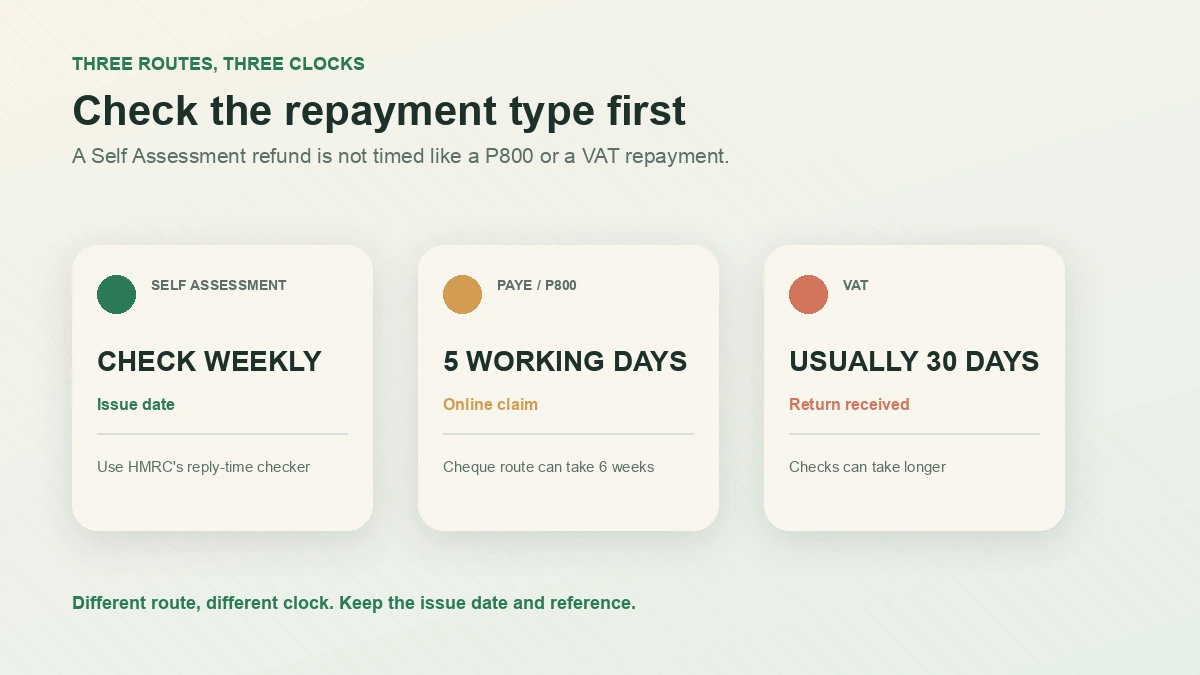
There is no single promise that covers every HMRC repayment. The route matters. A Self Assessment repayment, a PAYE refund after a P800, and a VAT repayment have different systems and different published timings.
For a Self Assessment repayment, the online HMRC reply-time checker is the best place to check the current position. HMRC says the information is updated weekly and covers Self Assessment requests. It is more useful than relying on a forum post or an old estimate copied into a search result.
HMRC’s community forum response also gives a practical explanation of the status sequence. HMRC said that a pending repayment is still being processed and that, once issued, the online account shows the issue date. It gave 5 to 10 working days from the issue date for the money to arrive in the bank account. Treat that as a guide for the bank leg of the journey, not a guarantee that every repayment will be issued within ten working days.
That distinction is worth keeping in mind:
- Filed or requested does not mean paid.
- Pending does not start the 5 to 10 working day bank clock.
- Issued is the point at which you can start checking the bank-payment window.
- Past the expected window is a reason to check HMRC’s messages and contact route, not a reason to submit a duplicate claim.
A worked timing example
Suppose your Self Assessment account shows an issue date of Wednesday 12 August 2026. Five working days would take you to Wednesday 19 August, and ten working days would take you to Wednesday 26 August, ignoring weekends and any bank holiday that falls in the period. If the account still says pending on 12 August, those dates do not apply yet because the repayment has not reached the issued stage.
Your bank may show an incoming payment sooner or later within that window. If the issue date has passed and the money is still missing after the stated period, note the exact amount, tax year, issue date and any reference before contacting HMRC.
PAYE and P800 refunds follow a different route
If your refund comes from a P800 tax calculation letter, do not use the Self Assessment timing as your benchmark. Our P800 guide explains why HMRC sends one and how to claim. GOV.UK says an online P800 claim is paid within 5 working days, while a cheque requested online can take 6 weeks. If HMRC says it will send a cheque automatically, the guidance says you should receive it within 14 days of the date on the letter.
That is a separate PAYE process. A P800 amount showing in your Personal Tax Account is not the same as a Self Assessment credit, even though both may be described as a tax refund.
Why is a repayment still pending?
HMRC does not show every internal check on the public account screen, so you may not see a detailed reason. A few patterns explain most of the practical confusion.
The repayment is going through checks
HMRC’s claims manual says a repayment is subject to security checks that form part of the repayment process. A check does not tell you that the return is wrong. It does mean the payment may take longer than a simple automated calculation.
Do not guess at the reason from online comments. A neighbour’s refund, or a post saying that a particular amount always triggers a review, is not a rule you can rely on. Check your own HMRC messages and provide information only through an official HMRC channel if HMRC asks for it.
HMRC may use the credit against tax due soon
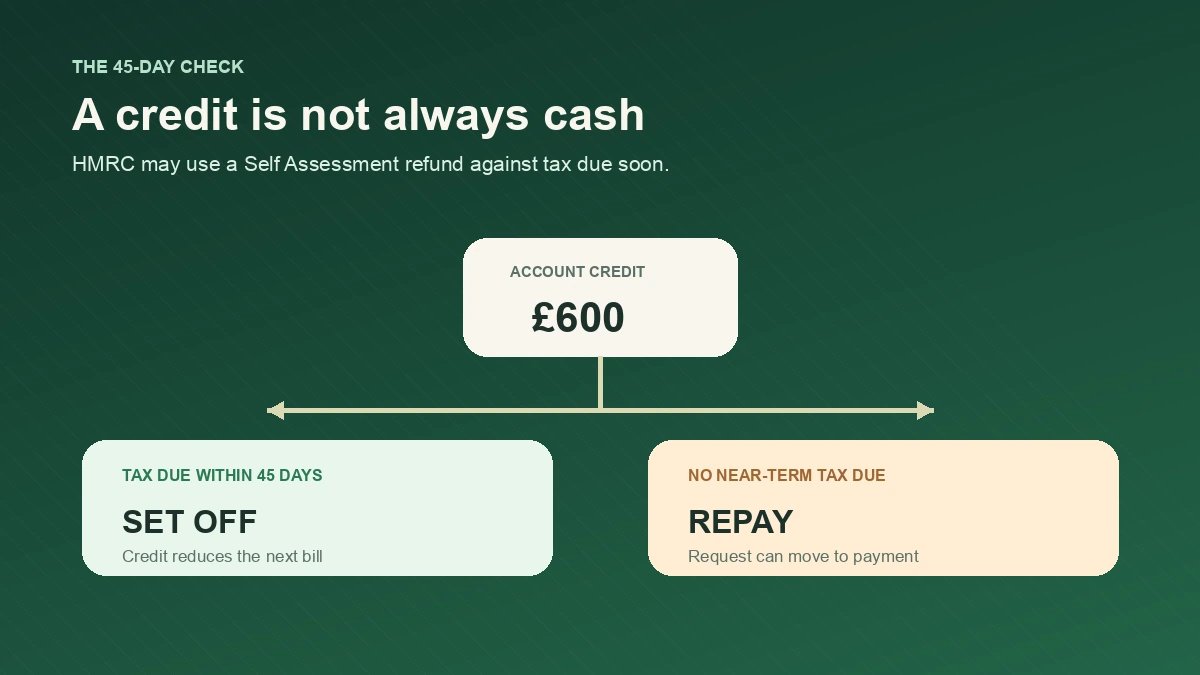
The GOV.UK Self Assessment refund page says you may not get a refund if you have tax due in the next 45 days, such as a payment on account. HMRC may deduct the credit from that bill instead.
This can make a refund look as though it has disappeared. It has not necessarily been lost. The credit may be doing exactly what the Self Assessment account is designed to do, reducing the next amount you owe.
The request was not fully submitted
A tax return can be filed without a repayment request being completed. You may see an amount in credit but not have a bank repayment in progress. Look for the acknowledgement and repayment reference rather than assuming the credit has automatically been requested.
The same applies if you started a claim but left the service before the confirmation screen. HMRC’s Agent Update says the submission reference is the useful proof that the request reached HMRC.
The route or bank details need attention
Paper returns, cheque requests and bank repayment requests do not follow identical paths. If bank details were missing or entered incorrectly, the payment may not go where you expected. GOV.UK says that, where an amended paper return creates a refund, HMRC can pay it directly into the bank account when the return includes the bank details.
Do not post bank details into an email, reply to a social media message, or use a link from an unexpected text. Sign in through GOV.UK’s tax refund checker and use the official contact route if the details need correcting.
The return or claim needs a closer look
An amendment, a repayment based on provisional figures, missing income, a tax credit from another year, or an unresolved account entry can slow down the final calculation. That does not mean every unusual return will be delayed. It means the neat figure on the summary may not tell the whole story.
This is where a second review helps. We would reconcile the return to the Self Assessment statement, payments on account, PAYE or CIS deductions, and any other amounts HMRC has applied to the account. Our bookkeeping support can help when the underlying records are the part that needs sorting.
What to check when HMRC repayment is pending
Work through this list before calling HMRC or sending another claim:
- Confirm the tax year. Make sure you are looking at the refund for the return you actually filed. A credit for 2024/25 can sit beside information for 2025/26.
- Find the submission reference. Keep the reference, date and amount together. If you have one, HMRC says the request has been received and is in progress.
- Read the full account message. Check for requests to confirm identity, provide information, or choose how the money should be repaid.
- Check the next 45 days. Look at upcoming payments on account and other Self Assessment amounts. A credit may be set against tax due soon.
- Check the payment route. Work out whether this is Self Assessment, PAYE/P800, CIS, or VAT. The time limit for one route does not automatically apply to another.
- Compare the amount with your calculation. Check the tax return, payments on account, PAYE tax already deducted and any CIS statements. A credit that does not match your records needs investigation before you ask for cash.
- Use the current HMRC reply-time checker. The checker is updated weekly, so it is a better reference than an old “HMRC takes two weeks” statement.
- Avoid repeat requests. If you have a submission reference, another repayment request will not make the first one move faster.
If you are self-employed or a company director, keep a copy of the calculation and the account statement in your bookkeeping records. The cash matters, but the reason for the credit matters too. It may affect the next payment on account or reveal that an earlier figure needs correcting.
Three refund examples that look similar but are not
Example 1: a Self Assessment credit is set against a future bill
Amir’s final Self Assessment liability is £2,400. He has already paid £3,000 through payments on account, so the account shows a possible credit of £600. He requests a repayment, but his next Self Assessment payment is due within 45 days.
HMRC may apply the £600 to that upcoming bill rather than send it to his bank. The account can still show a credit while the position is being updated. Amir should check the statement and the next payment calculation before treating the £600 as spendable cash.
Example 2: an issued repayment reaches the bank later
Beth files a return and sees a credit of £1,150. A few days later, her account shows an issue date of Thursday 20 August 2026. The practical 5 to 10 working day bank window would run from Thursday 27 August to Friday 4 September, because the 31 August bank holiday is not a working day.
If the status remains pending, Beth should not start counting from the day she filed. If the status says issued and the payment is still missing after the window, she should contact HMRC with the issue date and reference rather than re-submit the claim.
Example 3: a VAT repayment uses a different clock
Carla’s VAT Return shows £1,500 of VAT charged in Box 3 and £2,100 of VAT paid in Box 4. The difference is a £600 repayment in Box 5. GOV.UK says VAT repayments are usually made within 30 days of HMRC receiving the return, although a check can take longer.
That £600 belongs to the VAT repayment process. It is not a Self Assessment refund and should be checked in the business tax account. GOV.UK’s VAT repayment guidance says most VAT repayments are made within 30 days, although checks can take longer. Our VAT returns service and VAT return dates guide cover the separate VAT workflow.
Self Assessment, PAYE and VAT repayment timings side by side
| Repayment route | Useful official timing | Where to check |
|---|---|---|
| Self Assessment | Use HMRC’s weekly reply-time checker. Once issued, an HMRC community response gives 5 to 10 working days for the bank payment. | Self Assessment account, Personal Tax Account and HMRC messages |
| PAYE refund from a P800 | Within 5 working days after an online claim, or 6 weeks for a cheque requested online. An automatic cheque is normally sent within 14 days of the letter date. | Personal Tax Account or HMRC app |
| VAT repayment | Usually within 30 days of HMRC receiving the VAT Return, unless checks take longer. | Business tax account |
The table is a map of the routes, not a promise that every case will follow the shortest timing. If the amount is material to your cash flow, plan around the later end of the published window until the issue date is visible.
When should you contact HMRC?
Contact HMRC when the status or message tells you to, when the reply-time checker indicates that a response is due, or when an issued repayment has passed the stated banking window. You should also ask for help if:
- you have no submission reference but believe you completed the repayment request
- the amount in credit does not match your return and payment records
- the account keeps returning the money to credit after you request repayment
- HMRC has sent a letter asking you to confirm a claim or provide evidence
- a payment should have been offset but the Self Assessment statement still shows an unexplained balance
Have your National Insurance number, UTR, tax year, return submission date, repayment amount, submission reference and issue date ready. Do not rely on a screenshot alone. The underlying statement and the confirmation reference are more useful to the adviser.
If the issue is a calculation rather than a delay, check whether you can amend the return. GOV.UK says an online Self Assessment return can usually be corrected within 12 months of the Self Assessment deadline. If that window has closed, overpayment relief may be available for up to 4 years after the end of the relevant tax year, but the written claim needs specific information and a signed declaration. That is a different process from chasing a pending repayment.
HMRC repayment pending FAQs
What does HMRC repayment pending mean?
It usually means HMRC has created the refund but it still needs to be approved and paid. A Self Assessment statement can continue to show the amount as a credit while the request is being processed.
Should I submit my HMRC repayment request again?
Not if you already have a submission reference. HMRC says the reference confirms it received the request and that sending another request will not speed up the repayment.
How long does bank repayment pending take?
The HMRC community guidance says that once the repayment is issued, the issue date appears online and the payment can take 5 to 10 working days to reach the bank. The pending stage itself can take longer, especially if the claim needs checks.
Can HMRC use my refund to pay future tax?
Yes. GOV.UK says you may not receive a refund if tax is due in the next 45 days, such as a payment on account. HMRC may deduct the credit from that amount instead.
What if HMRC says repayment issued but the money is not in my bank?
Check the issue date, bank details and any account message. Allow the stated 5 to 10 working day window, then contact HMRC with your UTR, tax year, amount and reference if the payment is still missing.
Is a VAT repayment the same as a Self Assessment refund?
No. VAT repayments are based on the VAT Return and are checked in the business tax account. HMRC says they are usually made within 30 days, but checks can take longer.
Can an accountant chase an HMRC repayment for me?
An authorised agent can review the return and account, explain what the credit means, and contact HMRC through the appropriate route. You may still need to confirm identity or sign a declaration yourself. We can review the numbers first through our tax refund service so a delayed payment is not confused with an incorrect claim.
The practical next step is simple: save the submission reference, check whether an issue date exists, and compare the credit with the next 45 days of tax due. That small check tells you whether you are waiting for a payment, waiting for HMRC to finish processing, or looking at a credit that is about to reduce another bill.

About Golden Tree Consulting
ACCA Affiliated | MBA Qualified
Golden Tree Accounting & Business Consulting provides expert tax, bookkeeping, and advisory services to sole traders and SMEs across Croydon, London, Surrey, and Kent. With multilingual support and decades of combined experience, we help businesses stay compliant and grow.
Offices in Croydon and London Bridge.
Related guides
HMRC MTD Letter 2026: What to Check If You've Been Signed Up
Received an HMRC MTD letter? Check the £50,000 qualifying-income test, correct changed income sources and catch up with the 2026/27 steps.
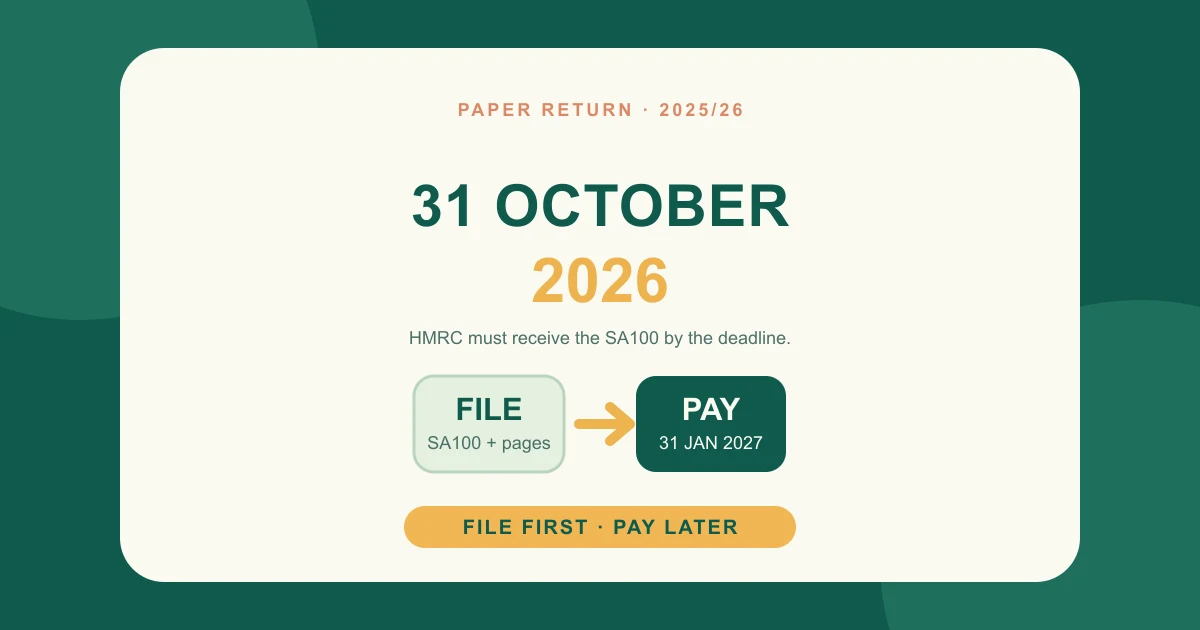
Self Assessment Paper Tax Return Deadline 2026: 31 October UK Guide
Self Assessment paper tax return deadline 2026 explained: what to post, where to send SA100, penalties, payment dates and a 31 October checklist.

HMRC Tax Investigation Letter: What to Do During a Compliance Check in 2026
Received an HMRC tax investigation letter? Learn what a compliance check means, what records to prepare, how penalties work and when to get help in 2026.